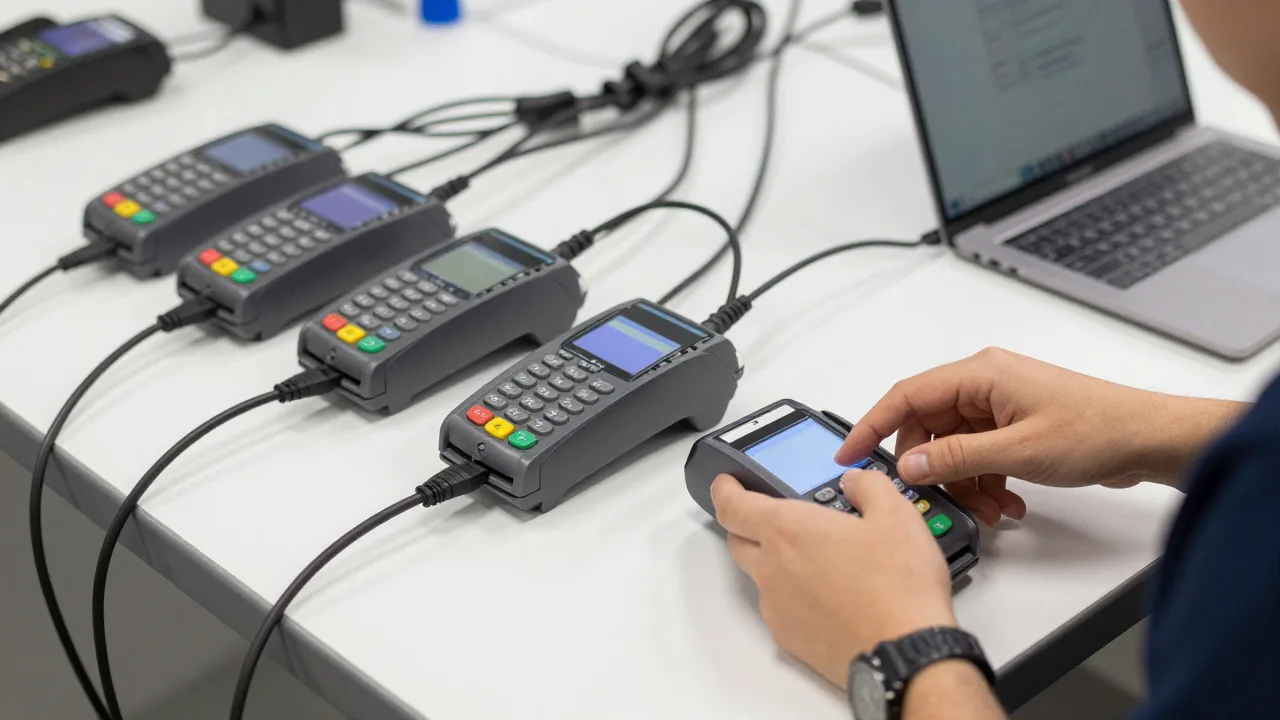
A four-location taco group in Phoenix closed its weakest store in March. In August, during a routine statement review, the controller noticed a $12 monthly gateway charge and a PCI fee still hitting for a terminal serial number nobody recognized. The device had been boxed up by a manager who no longer worked there, driven to another store, and left in a supply closet — still registered, still billing, still holding a live merchant ID that could accept a card if someone plugged it in. Five months of fees was the small problem. An unaccounted-for payment device sitting in an unlocked closet was the real one.
Nothing about this is exotic. Once a restaurant group passes about three locations, its payment hardware stops being a set of objects anyone can picture and becomes a fleet — and fleets behave differently. Devices migrate between stores during a rush. Firmware versions drift apart. A terminal fails on a Saturday and gets replaced from a drawer of spares nobody inventoried. Six months later no one can answer a simple question: how many card-accepting devices do we own, where are they, and what version are they running?
That gap costs money in ways that never appear on a single line item. It shows up as duplicate rental charges, as PCI assessments failing on devices you forgot existed, as a store down for four hours because the spare was dead, and as reconciliation variances nobody can trace because a terminal was batching under the wrong location ID. Individually each is small. Across 12 locations and 60 devices they add up to a five-figure annual drag plus a compliance exposure that only becomes visible after something goes wrong.
Terminal fleet management is the unglamorous discipline that fixes all of it. Here's how to build it.
Start With an Inventory That Actually Exists
You cannot manage what you have never counted, and almost no multi-location group has a current, accurate device list. Building one is a half-day exercise that reliably pays for itself immediately.
Walk every location and record, for every card-accepting device:
- Serial number and model
- Assigned location and, within it, assigned station (bar, patio, server 3, drive-thru)
- Merchant ID and terminal ID it reports under
- Current firmware and application version
- Owned, leased, or rented — and if leased, the term end date
- Purchase or deployment date
- Connectivity method (ethernet, Wi-Fi, cellular)
- Status: in service, spare, in repair, retired
Count the spares, the drawer devices, the one in the office that "we might use for events." Every group doing this for the first time finds devices it forgot it owned, and typically finds two to five that are still generating fees while doing nothing. At $10 to $30 per device per month in rental and service charges, six ghost devices across a group is $720 to $2,160 a year of pure waste — before counting the PCI liability of untracked hardware.
Then reconcile the list against your merchant statements. Every terminal ID being billed should map to a device you physically located. Anything on the statement you can't find is either lost, stolen, or already returned but never deactivated. All three need answering.
Standardize the Fleet, Then Keep It Standardized
The single biggest operational lever in multi-location payments is model discipline. A group running four terminal models across nine stores has four sets of firmware to track, four spare pools, four troubleshooting procedures, and four training paths. Managers who transfer between stores have to relearn the hardware. A spare from store 2 doesn't help store 6.
Consolidating to one countertop model and one handheld model — two SKUs total — produces effects out of proportion to how simple it sounds:
- Spares become universal. One pooled spare inventory covers every location instead of per-model stockpiles.
- Training transfers. A manager moved from store 3 to store 8 already knows the hardware, and one troubleshooting guide covers the whole company — which makes a documented terminal troubleshooting procedure genuinely usable instead of a folder of model-specific PDFs.
- Firmware management collapses to one track. One version to test, one to deploy, one to verify.
- Purchasing leverage improves. Buying 40 of one model beats buying 10 each of four.
Standardization is easiest at a refresh cycle, so plan for it rather than forcing it. Which brings up the underlying question of what you're standardizing on — the trade-offs between integrated and standalone terminals matter far more at 12 locations than at one, because a standalone device that requires manual amount entry multiplies keying errors and reconciliation variances by every store you own.
At one location, terminal choice is a preference. At ten, it's an operating system for how your company handles money.
The Spare Ratio and the Four-Hour Rule
A dead terminal during Friday dinner service is a revenue event, not an IT ticket. The industry rule of thumb is straightforward: maintain roughly one spare per five to eight active devices, held centrally or distributed by cluster so that any location can have a working replacement in hand within four hours.
For a 10-location group running five devices each — 50 active units — that's seven to ten spares. At $400 a unit that's $2,800 to $4,000 of capital sitting idle, which feels wasteful right up until the first Saturday it saves. One store running four hours without card acceptance during peak service, at a $3,000 dinner period, costs more than the entire spare pool.
Three details make the spare pool actually work:
- Spares must be preconfigured and tested. A spare that needs to be provisioned during an outage is not a spare. Configure it, run a test transaction, void it, and log the date — then repeat quarterly, because batteries die in storage and firmware goes stale.
- Spares must be logged out and back in. The most common way a fleet loses track of itself is an undocumented swap during a rush. A two-field log — serial number, destination store — prevents most inventory drift.
- Failed units need a defined path. Repair, RMA, or retire, with a decision rule. Devices that sit in the "broken" box for a year are how groups end up buying hardware they already own.
Example scenario: 14 Stores, 71 Devices, and a Missing $19,000
Illustrative scenario — a composite example built to show how the numbers work. It does not describe a real business or customer.
A regional fast-casual chain with 14 units across two states had never inventoried its payment hardware. Three different processors' terminals were in service from prior acquisitions, and firmware versions ranged across five releases. The first physical count found 71 card-accepting devices — against 78 being billed monthly. Seven ghost devices at an average $21 a month in combined rental, gateway, and PCI fees had been running for an estimated two and a half years: roughly $4,400 recovered, with the billing stopped going forward. The bigger find came from standardization. Consolidating to two models over an 11-month refresh cut average terminal downtime per store from 6.2 hours a quarter to under one, eliminated a duplicate $8,900 annual service contract, and dropped support calls to the corporate help desk by an estimated 60%. Total identified first-year value was around $19,000. The operations director's summary: "We weren't overspending on payments. We were overspending on not knowing what we had."
Firmware, EMV Kernels, and the Update Problem
Payment terminals need updates for security patches, EMV kernel certifications, and network mandates. On one device this is a nuisance. Across 60 devices in 14 buildings it is a project, and the failure modes are specific.
The rules that keep it from going wrong:
- Never update the whole fleet at once. Pilot on two to three devices at one location for a full week of real service before rolling wider. A firmware release that breaks tip entry is survivable at one store and catastrophic at fourteen.
- Update outside service hours, with a staged schedule by region if you span time zones.
- Verify, don't assume. Your device list should record the version each terminal actually reports, refreshed monthly. Devices that were powered off during a push silently fall behind, and a terminal three releases stale is the one that fails an EMV mandate.
- Track certification deadlines. Network mandates around chip processing and contactless carry hard dates, and a device that misses one can start seeing liability shifts on fraudulent transactions — the liability mechanics are worth understanding in detail if you handle EMV chip card acceptance across many locations.
Remote management capability is what separates a fleet you can maintain from one you visit. If updates require someone physically touching each device, a 60-device fleet is roughly 60 site visits per update cycle. Providers offering remote configuration, remote diagnostics, and staged deployment turn that into an afternoon at a desk. When evaluating restaurant payment terminal hardware, remote manageability should weigh as heavily as the purchase price — at fleet scale it usually dominates total cost of ownership.
Security Controls That Scale Past Three Stores
Distributed hardware is distributed risk. Terminal tampering — skimming overlays, swapped devices, internal shims — targets exactly the environment a multi-location restaurant creates: many devices, many hands, low supervision, high staff turnover.
PCI DSS requires periodic inspection of card-reading devices, and the practical implementation is simpler than the standard makes it sound:
- Photograph every device at deployment, including the serial number label and the card slot, and store the photos with the inventory record. Comparison against a known-good image is how tampering gets caught.
- Run a weekly physical inspection at each location. Managers check serial numbers against the list, look for added hardware around the card slot, check for loose or mismatched casings, and confirm cable runs haven't changed. Two minutes per device, logged with a signature.
- Lock down device intake. No terminal enters service unless corporate sent it. "A technician came by to swap the terminal" is a well-documented attack, and store-level staff must have a rule: unscheduled device swaps get refused and escalated.
- Secure devices physically where practical — tethers on countertop units, locked storage for spares and handhelds overnight.
- Wipe and deregister on retirement. A retired terminal with live credentials is a merchant account with no owner.
Assign each location a named device custodian — usually the GM — so accountability doesn't diffuse. In practice, groups with a named custodian per store keep accurate inventories; groups relying on "whoever's around" don't.
Making the Fleet Report to You
The final piece is visibility, and it's where hardware management stops being a chore and starts producing information. Every terminal generates data: transaction counts, decline rates, average approval times, batch timing, and error codes. Aggregated across a fleet, that data answers questions you otherwise never ask.
Watch four signals at the fleet level:
- Decline rate by device. One terminal declining at 4% while the fleet runs 1.8% usually means a failing card reader, not unusual customers.
- Keyed-entry rate by device. A terminal with a high manual-entry percentage is either failing to read chips or has a station-level training issue — and keyed transactions carry both higher interchange and higher fraud exposure.
- Batch timing compliance. A location batching late or missing a batch is a delayed deposit and a reconciliation break, which is why batch monitoring belongs in the same dashboard as your payment reconciliation process.
- Approval response times. Steadily rising authorization times at one store point at connectivity, not payments — and that's a fixable network problem before it becomes a slow-checkout complaint.
None of this is visible when each location runs its own hardware island and reporting is a monthly PDF per store. It becomes visible when device management, payment processing, and reporting live in the same system — the same consolidation that solves most other multi-location point-of-sale problems. Once your fleet reports centrally, terminal management shifts from reactive to preventive: you replace the device trending toward failure on a Tuesday morning rather than discovering it on a Saturday night. That, and knowing where all your hardware is, is the entire job — and it's worth more than most operators expect until they measure the alternative. Layer in payment analytics across locations and the fleet stops being a cost center you maintain and starts being a sensor network telling you where your operation is quietly leaking.
Know Every Device, Every Batch, Every Location
KwickOS gives multi-location groups one view of payment hardware and transactions across every store — device-level decline and keyed-entry rates, batch monitoring, and reporting that ties out by location instead of arriving as fourteen separate PDFs.
Try KwickOS free — 5,000+ restaurants trust us →KwickOS Ecosystem
© 2024-2026 KwickOS. All rights reserved.